Free Michigan 5092 Template in PDF
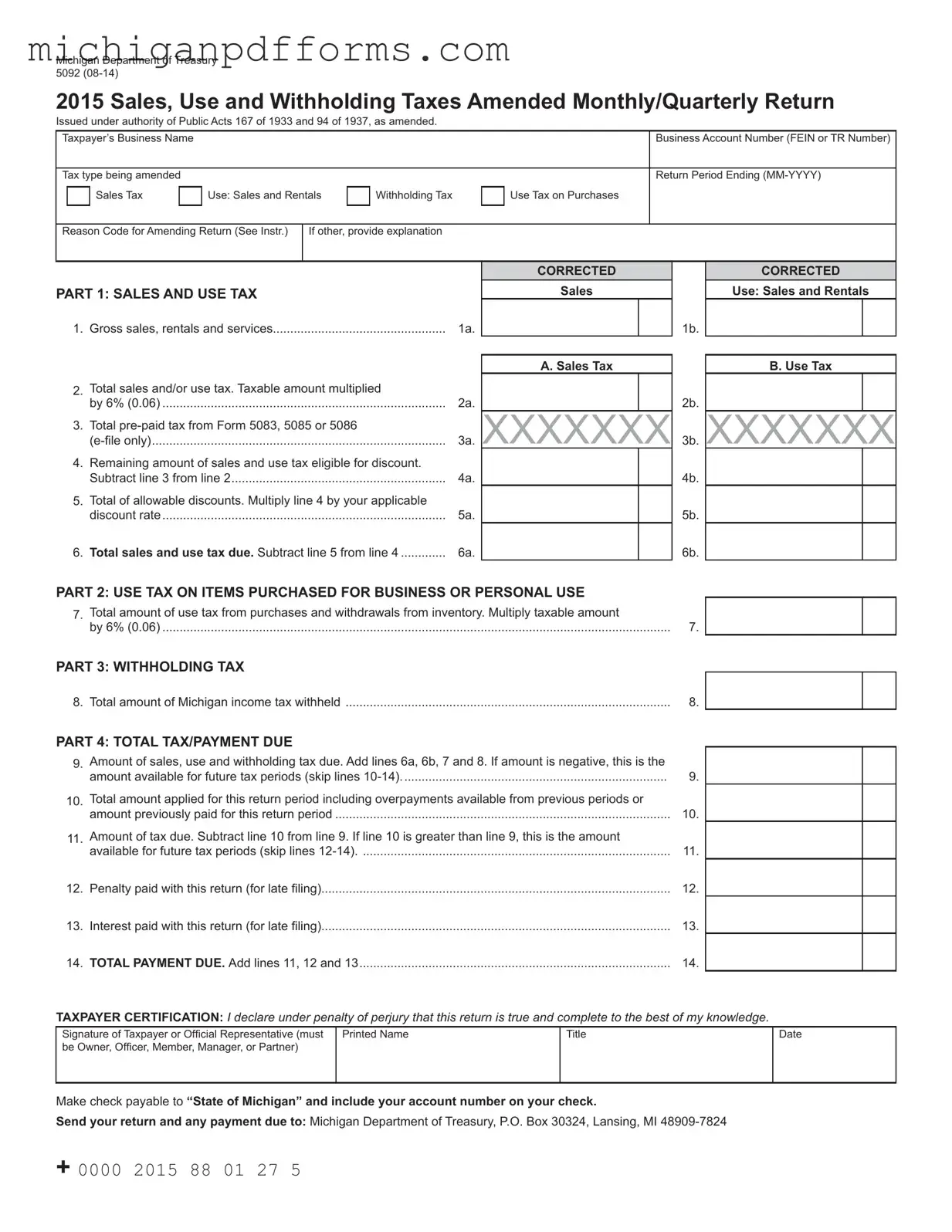
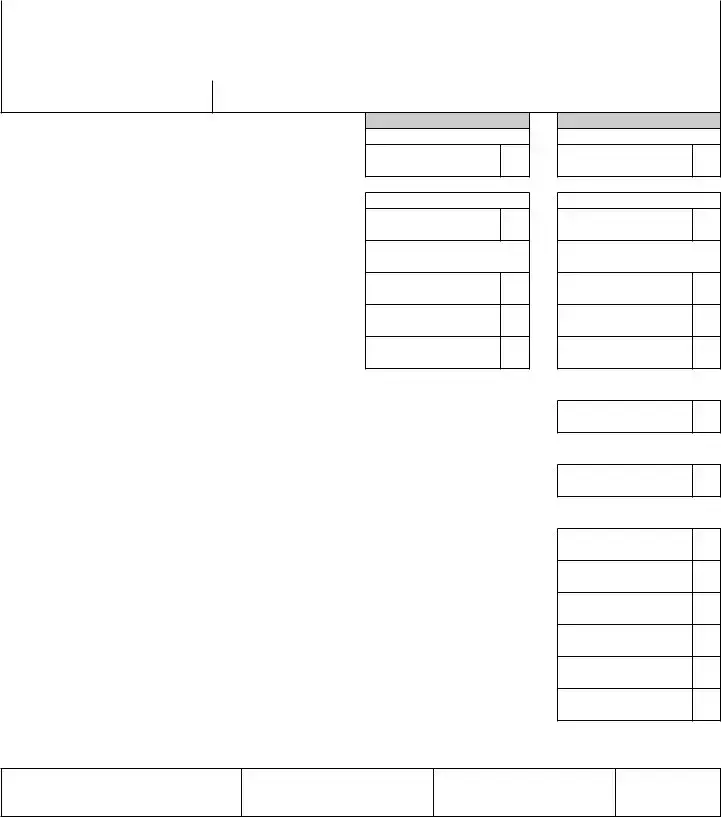
The Michigan 5092 form is a crucial document used by businesses to amend their Sales, Use, and Withholding Taxes for monthly or quarterly reporting periods. This form, issued by the Michigan Department of Treasury, allows taxpayers to correct previously submitted returns by providing updated figures and necessary explanations. It requires the taxpayer's business name, account number, tax type being amended, and the return period ending date. The form is structured into several parts, including sections for reporting gross sales, total sales and use tax, and withholding tax amounts. Taxpayers must also indicate the reason for the amendment by selecting from a list of codes, ensuring clarity in the reporting process. Additionally, the 5092 form includes calculations for allowable discounts, total tax due, and any penalties or interest applicable for late filings. By submitting this form accurately and timely, businesses can rectify their tax obligations and maintain compliance with Michigan tax regulations.
Form Example
Michigan Department of Treasury 5092
2015 Sales, Use and Withholding Taxes Amended Monthly/Quarterly Return
Issued under authority of Public Acts 167 of 1933 and 94 of 1937, as amended.
Taxpayer’s Business Name |
|
|
|
|
|
Business Account Number (FEIN or TR Number) |
|||
|
|
|
|
|
|
|
|
|
|
Tax type being amended |
|
|
|
|
|
Return Period Ending |
|||
|
|
|
|
|
|
|
|
|
|
|
|
Sales Tax |
|
Use: Sales and Rentals |
|
Withholding Tax |
|
Use Tax on Purchases |
|
|
|
|
|
|
|
|
|
|
|
|
|
|
|
|
|
|
|
|
|
Reason Code for Amending Return (See Instr.)
If other, provide explanation
PART 1: SAlES AnD USE TAx
1. Gross sales, rentals and services |
1a. |
CORRECTED
Sales
1b.
CORRECTED
Use: Sales and Rentals
2.Total sales and/or use tax. Taxable amount multiplied
by 6% (0.06) ..................................................................................
3.Total
4.Remaining amount of sales and use tax eligible for discount. Subtract line 3 from line 2..............................................................
5.Total of allowable discounts. Multiply line 4 by your applicable discount rate..................................................................................
6.Total sales and use tax due. Subtract line 5 from line 4 .............
2a.
3a.
4a.
5a.
6a.
A. Sales Tax
XXXXXXX
2b.
3b.
4b.
5b.
6b.
B. Use Tax
XXXXXXX
PART 2: USE TAx On ITEMS PURChASED fOR BUSInESS OR PERSOnAl USE
7. Total amount of use tax from purchases and withdrawals from inventory. Multiply taxable amount |
|
by 6% (0.06) |
7. |
PART 3: WIThhOlDIng TAx
8. Total amount of Michigan income tax withheld |
8. |
PART 4: TOTAl TAx/PAyMEnT DUE
9. |
Amount of sales, use and withholding tax due. Add lines 6a, 6b, 7 and 8. If amount is negative, this is the |
|
|
amount available for future tax periods (skip lines |
9. |
10. |
Total amount applied for this return period including overpayments available from previous periods or |
|
|
amount previously paid for this return period |
10. |
11. |
Amount of tax due. Subtract line 10 from line 9. If line 10 is greater than line 9, this is the amount |
|
|
available for future tax periods (skip lines |
11. |
12. |
Penalty paid with this return (for late iling) |
12. |
13. |
Interest paid with this return (for late iling) |
13. |
14. |
TOTAl PAyMEnT DUE. Add lines 11, 12 and 13 |
14. |
TAxPAyER CERTIfICATIOn: I declare under penalty of perjury that this return is true and complete to the best of my knowledge.
Signature of Taxpayer or Oficial Representative (must be Owner, Oficer, Member, Manager, or Partner)
Printed Name
Title
Date
Make check payable to “State of Michigan” and include your account number on your check.
Send your return and any payment due to: Michigan Department of Treasury, P.O. Box 30324, Lansing, MI
+ 0000 2015 88 01 27 5
Instructions for Sales, Use and Withholding Taxes Amended Monthly/Quarterly Return (form 5092)
NOTE: You must use Form 165 to amend tax years prior to 2015.
Form 5092 is used to amend monthly/quarterly periods in the current year. Complete the return with the corrected figures. Check the box for each tax type you are amending and provide the amended reason code located in the instructions. If the reason code is “Other,” write an explanation for the amendment.
IMPORTANT: This is a return for Sales Tax, Use Tax, and/ or Withholding Tax. If the taxpayer inserts a zero on (or leaves blank) any line for reporting Sales Tax, Use Tax, or Withholding Tax, the taxpayer is certifying that no tax is owed for that tax type. If it is determined that tax is owed, the taxpayer will be liable for the deficiency as well as penalty and interest.
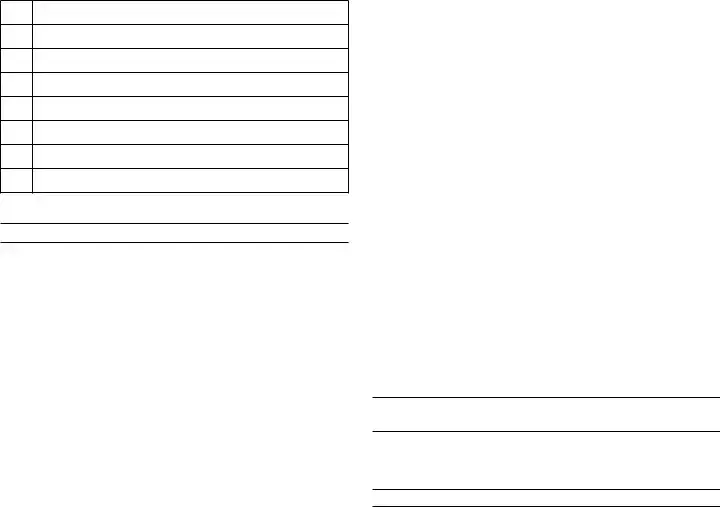
Reason code for amending return: Using the table below, select the
01Increasing tax liability
02Decreasing tax liability
03Incorrect information/igures reported on original return
04Original return was missing information/incomplete
05Claiming previously unclaimed
06Dispute an adjustment
07Tax Exempt
08Other
PART 1: SAlES AnD USE TAx
Line 1a: Total gross sales for tax period being reported. Enter the total of your Michigan sales of tangible personal property including cash, credit and installment transactions and any costs incurred before ownership of the property is transferred to the buyer (including shipping, handling, and delivery charges).
Line 1b: This line is used to report the following:
•
•Lessors of tangible personal property: Enter amount of total rental receipts.
•Persons providing accommodations: This would include but not limited to hotel, motel, and vacation home rentals. This also includes assessments imposed under the Convention and Tourism Act, the Convention Facility Development Act, the Regional Tourism Marketing Act, the Community Convention or Tourism Marketing Act.
•Telecommunications Services: Enter gross income from telecommunications services.
Line 2a: Total sales tax. Negative figures are not allowed or valid.
Line 2b: Total use tax. Negative figures not allowed or valid.
Line 5: Enter total allowable discounts. Discounts apply only to 2/3 (0.6667) of the sales and/or use tax collected at the 6 percent tax rate. See below to calculate your discount based on filing frequency:
Monthly Filer
•If the tax is less than $9, calculate the discount by multiplying the tax by 2/3 (.6667).
•Enter $6 if tax is $9 to $1,200 and paid by the 12th, or $9 to $1,800 and paid by the 20th .
•If the tax is more than $1,200 and paid by the 12th,
calculate discount using this formula: (Tax x .6667 x .0075). The maximum discount is $20,000 for the tax period.
•If the tax is more than $1,800 and paid by the 20th,
calculate discount using this formula: (Tax x .6667 x .005). The maximum discount is $15,000 for the tax period.
Quarterly Filer
•If the tax is less than $27, calculate the discount by multiplying the tax by 2/3 (.6667)
•Enter $18 if tax is $27 to $3,600 and paid by the 12th, or $27 to $5,400 and paid by the 20th.
•If the tax is more than $3,600 and paid by the 12th,
calculate discount using this formula: (Tax x .6667 x .0075). The maximum discount is $20,000 for the tax period.
•If the tax is more than $5,400 and paid by the 20th,
calculate discount using this formula: (Tax x .6667 x .005). The maximum discount is $15,000 for the tax period.
Accelerated Filer
•If the tax is paid by the 12th, calculate discount using this formula: (Tax x .6667 x .0075).
•If the tax is paid by the 20th, calculate discount using this formula: (Tax x .6667 x .005).
PART 2: USE TAx On ITEMS PURChASED fOR BUSInESS OR PERSOnAl USE
Line 7: To determine your use tax due from purchases and withdrawals, multiply the total amount of your inventory value by 6% (0.06) and enter here.
PART 3: WIThhOlDIng TAx
Line 8: Enter the total Michigan income tax withheld for the tax period.

PART 4: TOTAl TAx/PAyMEnT DUE
Line 9: If amount is negative, this is the amount available for
future tax periods (skip lines
Line 10: Enter any payments you submitted for this period, enter any payments for this period including any overpayments available from previous periods. If you are using an overpayment from a previous period only enter the amount needed to pay the total liability for this return. In the event an overpayment still exists declare it on the next return you file with a liability. (Liability minus overpayments/prior payment for this period must be greater than or equal to zero).
how to Compute Penalty and Interest
If your return is filed with additional tax due, include penalty and interest with your payment. Penalty is 5% of the tax due and increases by an additional 5% per month or fraction thereof, after the second month, to a maximum of 25%. Interest is charged daily using the average prime rate, plus 1 percent.
Refer to www.michigan.gov/taxes for current interest rate information or help in calculating late payment fees.
Document Specs
| Fact Name | Details |
|---|---|
| Form Purpose | The Michigan 5092 form is used to amend previously filed monthly or quarterly sales, use, and withholding tax returns. |
| Governing Laws | This form is issued under the authority of Public Acts 167 of 1933 and 94 of 1937, as amended. |
| Who Should Use It | Taxpayers who need to correct errors in their sales, use, or withholding tax returns for the current year should use this form. |
| Amendment Reasons | Taxpayers must select a reason code for the amendment, which includes options like increasing tax liability or reporting incorrect information. |
| Discount Eligibility | Eligible taxpayers can receive discounts on their sales and use tax based on the amount and timing of their payments. |
| Filing Instructions | Instructions for completing the form are provided, including how to calculate taxes, penalties, and interest for late filings. |
| Submission Details | Completed forms and payments should be sent to the Michigan Department of Treasury at the specified address in Lansing, MI. |
Fill out Common Templates
Michigan Bonded Title - The TR-122 form facilitates the resolution of manufactured home ownership issues by providing a financial safeguard.
Michigan Pc 584 - The form is a key step in the probate process, facilitating the accurate assessment of estate value for tax purposes.
For individuals looking to safeguard their confidential materials, exploring a customizable Non-disclosure Agreement template can be invaluable. This document offers a structured way to enforce privacy and protect sensitive information. You can access a convenient form by visiting our resource on the necessary Non-disclosure Agreement setup.
Uia 1772 - The inclusion of specific check boxes and request options makes the form user-friendly and guides the employer through the required steps.